

Hey everyone – I hope you had a great May the Fourth (if you’re into that sort of thing — may the force be with you). While a lot of us were celebrating Star Wars Day, Microsoft quietly dropped something that’s going to make daily life better for every Intune admin out there: the new Enhanced App Inventory dashboard.
If you’ve ever used Intune alongside traditional RMM tools, you already know Intune wins on almost every front — except, for a long time, visibility into what’s actually installed on devices. The old Discovered Apps report was useful but limited. The new App Inventory changes that in a big way.
What’s new (and why it matters)
This is the long-term replacement for Discovered Apps (both will run side-by-side for now). The biggest improvements:
- Much more frequent updates — data refreshes multiple times per day instead of every seven days.
- Richer details — install location, estimated size, uninstall commands, modify commands, install scope (device vs. user), architecture, and more.
- Better multi-user support — cleanly handles both system-wide and per-user installs.
- New location — found on the NEW device details page under Devices → select a device → All Apps → App Inventory tab.
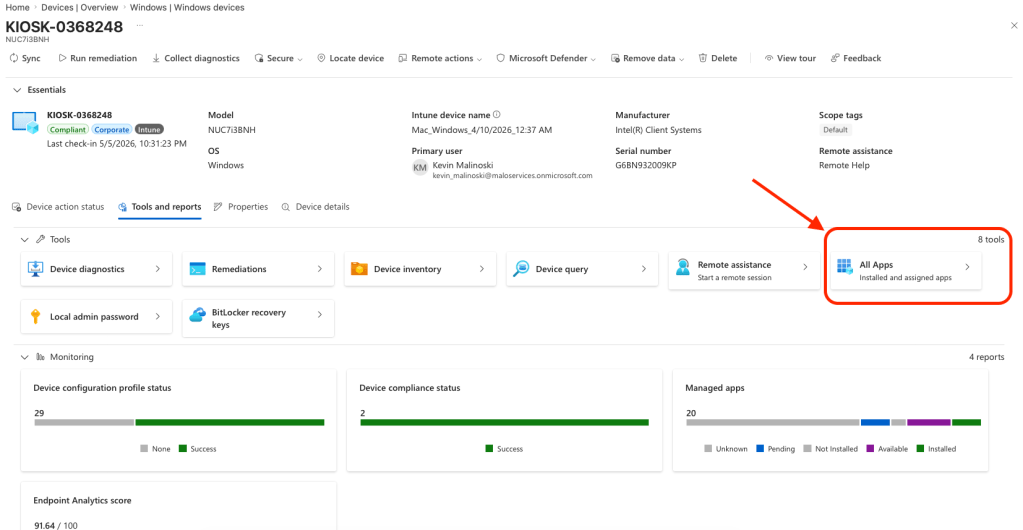
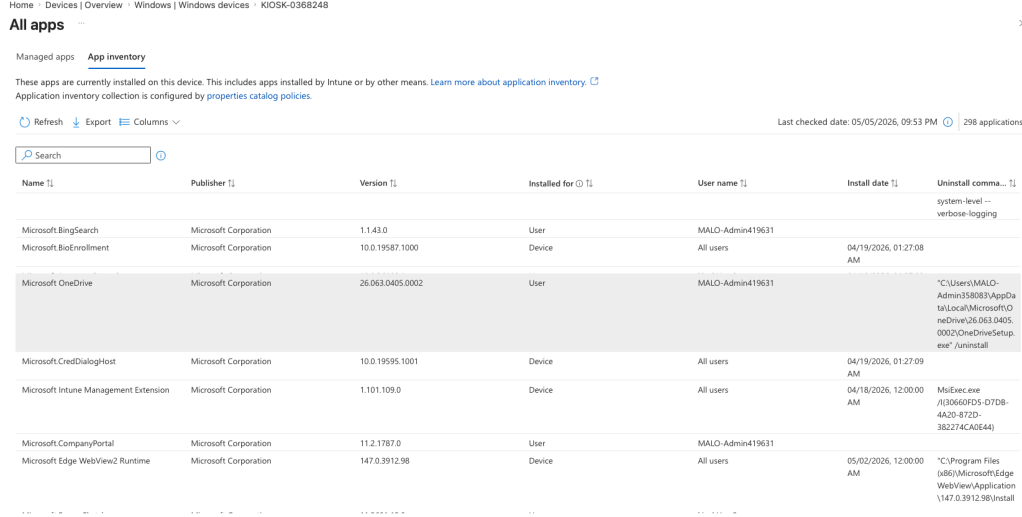
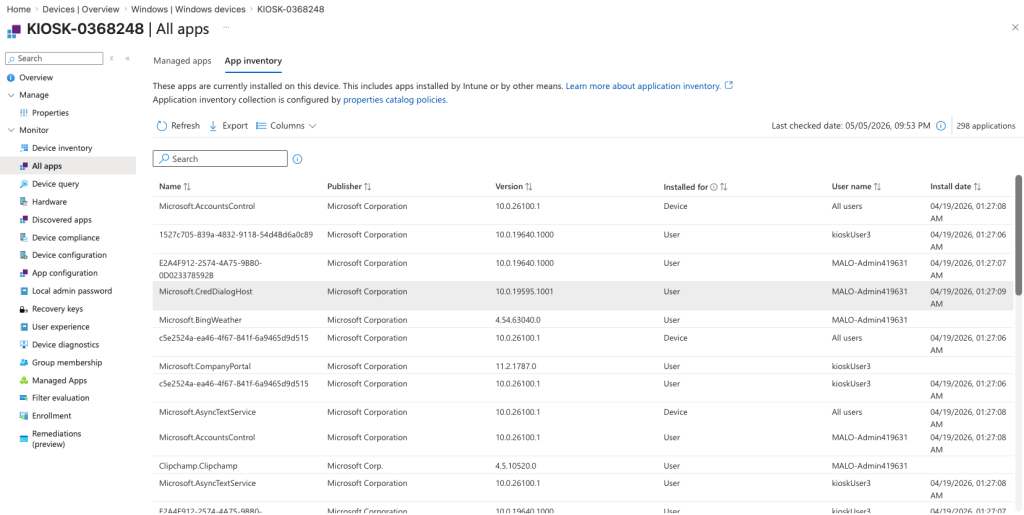
This isn’t just “hey, this app existed at some point.” It pulls real data directly from the registry and Windows package manager. Seeing uninstall commands right in Intune is a game-changer for troubleshooting and cleanup.
How to enable it (just a few minutes)
- Go to the Microsoft Intune admin center → Devices → Configuration → Create → New policy.
- Platform: Windows 10 and later Profile type: Properties catalog
- In Configuration settings, click + Add Properties and select the ApplicationProperties category.
- Choose the properties you want (I recommend starting with the required ones plus Install location, Estimated size, Uninstall command, and Modify command).
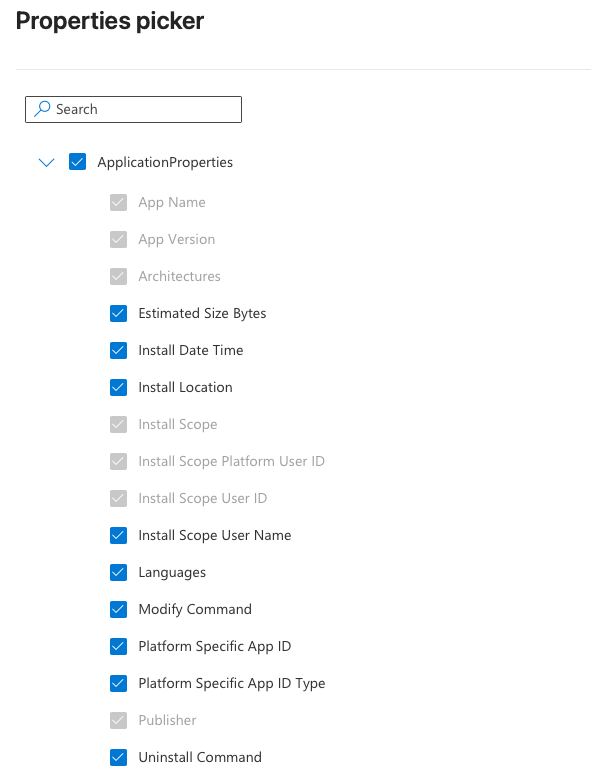
Now, assign it to a test group or pilot devices and create the policy! Devices will begin sending data at their next check-in. I set up a dedicated policy in my tenant for testing — I highly recommend you do the same before rolling it out broadly.
Full official documentation: App inventory for Windows devices in Microsoft Intune
Why this is exciting
This is the kind of focused, quality-of-life improvement Intune has needed. Better visibility with no extra agents or complicated scripts — pure cloud-native, zero-trust endpoint management. If you’re working toward that zero-touch mastery we’ve been chasing together, this is a quick win you can get done this month.
Last month we spent all of April diving deep into Assigned Access and building cloud-native Windows 11 kiosks. If you missed those posts (or gave up on kiosk mode a while back), they’re still worth checking out:
- Assigned Access April: From Validation to Velocity – Your Three-Phase Process for Reliable Zero-Touch Windows 11 Kiosks
- Exclusive Interview with Microsoft Intune Engineer: Deep Dive into Assigned Access & Kiosk Mastery
- Assigned Access April: Essential CSPs & Settings Catalog Configurations to Fine-Tine Your Windows 11 Kiosks
We’re keeping the momentum going in 2026 — one practical, community-focused update at a time.
Drop this new App Inventory policy into your test environment, take it for a spin, and let me know what you think in the comments. I’ll be sharing more as I dig deeper.
As always, thanks for reading — happy deploying!


Leave a comment