
Hey folks, happy 2026!
As we start the new year, one thing every Windows admin should check off the list is verifying that your endpoints are ready for the Microsoft Secure Boot certificate transition. The old 2011 certificates start expiring in June 2026, and without the new Windows UEFI CA 2023 in place, devices won’t receive future boot manager security updates—leaving them vulnerable.
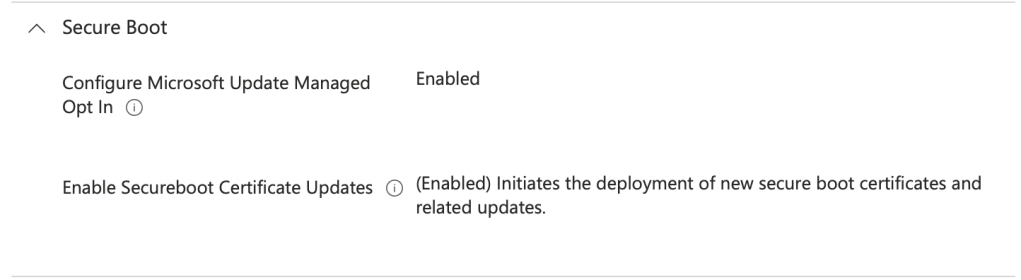
Microsoft is rolling out the 2023 certificates via Windows Update, but it’s smart to audit your fleet now and confirm the status. If you haven’t yet, make sure you have applied the needed Intune configuration profile your Windows endpoints through Intune:
Secure Boot CSP Documentation – Microsoft
Next, you’re going want to audit your environment – so here is a script to help. Deploy this through Intune Detections & Remediations for a nice interactive report for review!
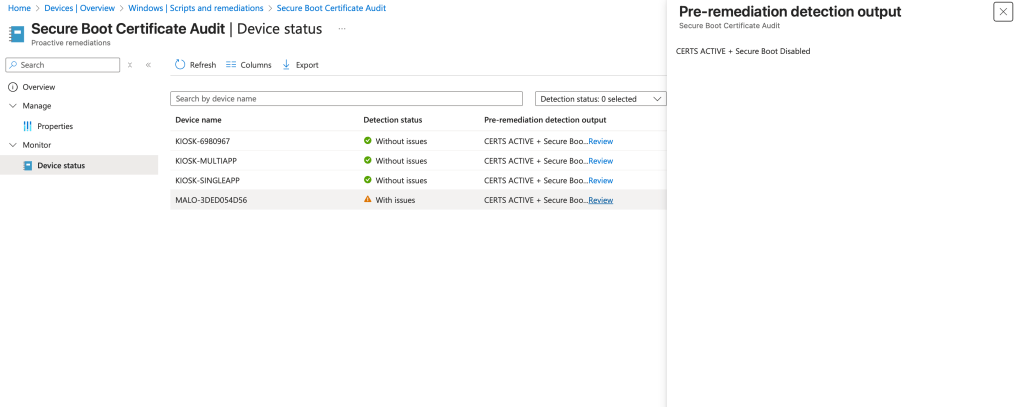
Here’s the script: GitHub Link (V2 updates 3/14/2026)
<#
.SYNOPSIS
  Check Secure Boot state and whether 'Windows UEFI CA 2023' is present in dbdefault and db.

.DESCRIPTION
  - Verifies Secure Boot is enabled (uses Confirm-SecureBootUEFI if available).
  - Reads UEFI variables safely and searches for the certificate identifier.
  - Outputs one of: MISSING, ACTIVE, INACTIVE (and returns exit codes).

.EXAMPLE
  powershell -ExecutionPolicy Bypass -File .\securebootcertcheck_new.ps1
#>

[CmdletBinding()]
param()

function Write-Log {
    param(
        [string] $Message,
        [switch] $Problem
    )
    if ($Problem) { Write-Error $Message } else { Write-Output $Message }
}

function Is-RunningElevated {
    try {
        $principal = New-Object Security.Principal.WindowsPrincipal([Security.Principal.WindowsIdentity]::GetCurrent())
        return $principal.IsInRole([Security.Principal.WindowsBuiltInRole]::Administrator)
    } catch {
        return $false
    }
}

function Get-UEFIVariableText {
    param(
        [Parameter(Mandatory=$true)][string] $VarName
    )
    try {
        $entry = Get-SecureBootUEFI $VarName -ErrorAction Stop
        if (-not $entry -or -not $entry.bytes) { return $null }
        # Prefer UTF8, fallback to ASCII
        try { return [System.Text.Encoding]::UTF8.GetString($entry.bytes) } catch { return [System.Text.Encoding]::ASCII.GetString($entry.bytes) }
    } catch {
        return $null
    }
}

# Warn if not elevated (Get-SecureBootUEFI usually requires elevation)
if (-not (Is-RunningElevated)) {
    Write-Warning "Script is not running elevated. Get-SecureBootUEFI may fail or return incomplete results."
}

# Determine Secure Boot status
# Secure Boot state
$SecureBootEnabled = $false
$SecureBootStateKnown = $false
if (Get-Command Confirm-SecureBootUEFI -ErrorAction SilentlyContinue) {
    try {
        $SecureBootEnabled = Confirm-SecureBootUEFI
        $SecureBootStateKnown = $true
    } catch {
        $SecureBootStateKnown = $false
    }
}

# Secure Boot wording
$sbStatus = if ($SecureBootStateKnown) {
    if ($SecureBootEnabled) { 'Secure Boot Enabled' } else { 'Secure Boot Disabled' }
} else {
    'Secure Boot Unknown'
}

$dbText = Get-UEFIVariableText -VarName 'db'
$expected = 'Windows UEFI CA 2023'
$dbDefaultText = Get-UEFIVariableText -VarName 'dbdefault'

if ($dbText -and $dbText -match [regex]::Escape($expected)) {
    Write-Output "CERTS ACTIVE - $sbStatus"
    exit 0
}elseif (-not $dbDefaultText -or ($dbDefaultText -notmatch [regex]::Escape($expected))) {
    Write-Output "CERTS MISSING - $sbStatus"
    exit 1
}else {
    Write-Output "CERTS INACTIVE - $sbStatus"
    exit 1
}
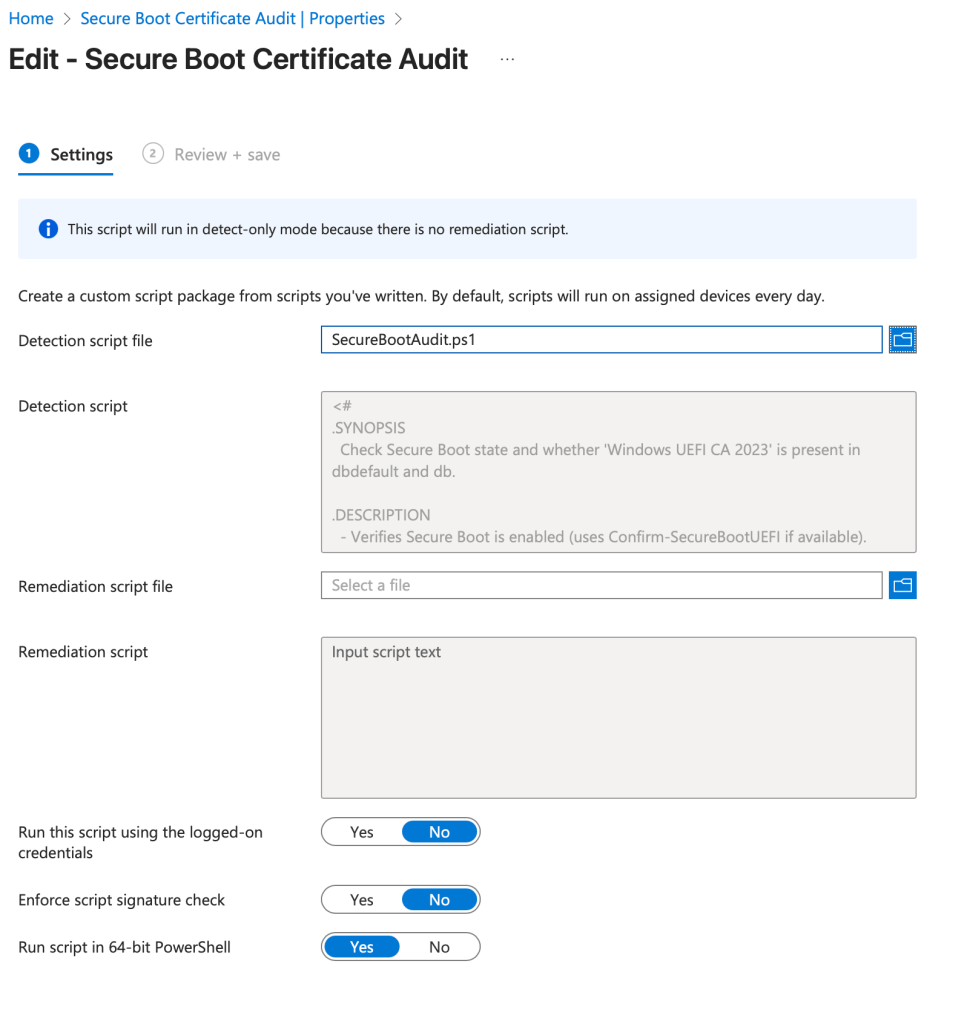
Apply this script through Intune Detections and Remediations for a nice visual report regarding Secure Boot! Here are the setting you need to get this rolling in Intune!


 Kevin Malinoski
Leave a reply to CZYMOCH, ROBERT Cancel reply